


USB-C technology revolutionizes video editing workflows with speeds up to 10 Gbps, facilitating quick import and export of high-resolution files. Devices like the Samsung T7 and LaCie Rugged SSD Pro provide reliable performance, featuring read speeds exceeding 1000 MB/s for 4K projects. The single USB-C port supports data transfer and charging, minimizing clutter. Compatibility with USB-A devices via adapters enhances usability. Understanding these specifications is essential for optimizing editing efficiency. Further insights on managing and maximizing performance are available.
Key Takeaways
- USB-C supports fast transfer rates up to 10 Gbps, essential for importing, editing, and exporting high-resolution video files efficiently.
- Ensure compatibility by choosing SSDs that support USB 3.1 or Thunderbolt 3 standards for optimal read/write speeds necessary for video editing.
- Utilize a structured file management system to organize projects, enabling efficient access and archiving of completed work on external drives.
- Consider USB-C hubs with power delivery to maintain consistent charging while transferring media files, reducing cable clutter in your workspace.
- Stay updated on emerging USB-C technologies and devices, as improvements will enhance video editing workflows and connectivity options.
Benefits of USB-C for Video Editing
As video editing demands continue to rise, the adoption of USB-C technology brings significant advantages that enhance workflow efficiency. USB-C connections offer faster access to data, achieving transfer rates of up to 10 Gbps, which supports the rapid import, editing, and export of high-resolution video files. External SSDs like the Samsung T7 leverage this technology, providing speeds sufficient for seamless 4K workflows without lag, thereby improving editing performance. The versatility of USB-C also means a single port can handle data transfer and charging, minimizing cable clutter for mobile editors. Additionally, USB-C is backward compatible with USB-A devices via simple adapters, allowing editors to integrate existing equipment while shifting to advanced storage solutions effortlessly. Modern USB-C cables featuring military-grade nylon construction can withstand over 40,000 flex cycles, ensuring reliable performance throughout demanding editing sessions.
Understanding USB-C vs. Thunderbolt

The distinction between USB-C and Thunderbolt is significant for video editors seeking to optimize their workflows. While USB-C is a versatile connection supporting various protocols, including Thunderbolt, not all USB-C ports are Thunderbolt-enabled. This limitation can hinder performance, particularly when using external SSDs. Thunderbolt provides impressive data transfer speeds of up to 40 Gbps with Thunderbolt 3, compared to a maximum of 10 Gbps with standard USB 3.1. Additionally, Thunderbolt allows daisy-chaining of up to six devices without compromising speed, a feature absent in USB-C. It also utilizes PCIe technology, enhancing performance in data-intensive applications like video editing, making compatibility imperative for achieving maximum potential and avoiding reduced performance from mismatched devices. Modern GaN III technology in USB-C charging stations offers superior energy efficiency while maintaining fast charging capabilities for video editing workstations.
Selecting the Right USB-C Devices for Editing

How does one navigate the myriad of USB-C devices available for video editing? To maximize performance, users should specifically seek out portable SSDs that support USB 3.1 or Thunderbolt 3 standards, which enable fast read/write speeds critical for managing 4K footage. Notable options include the Samsung T7 and LaCie Rugged SSD Pro, both renowned for their speed and reliability. However, users must verify compatibility, as not all USB-C ports support Thunderbolt, potentially limiting speed advantages if only USB 3.0 is available. Additionally, utilizing multiple USB-C drives can streamline workflow, allowing for effective backup solutions and minimizing downtime during extensive projects. This strategic selection can greatly enhance the efficiency and reliability of video editing tasks. For optimal data transfer speeds, consider expansion cards like the RIITOP PCIe expansion that support USB 3.2 Gen2 Type-C ports with 10Gbps capability.
Read and Write Speeds: What to Look For

Selecting the right USB-C drives for video editing necessitates a thorough understanding of read and write speeds, as these metrics play a pivotal role in optimizing performance for various resolutions. For 4K projects, users should seek SSDs featuring read speeds of 1000 MB/s or higher, while drives utilizing USB 3.1 or Thunderbolt 3 connections can achieve speeds up to 2800 MB/s. In contrast, SSDs suitable for 1080p editing should maintain a minimum of 500 MB/s for both read and write speeds. It is also critical to evaluate the differences between SSD vs. traditional SATA drives, as NVMe technology incorporated with USB-C interfaces generally offers enhanced transfer rates. Finally, checking TBW ratings will guarantee longevity under rigorous workloads, aligning capabilities with project demands. Modern SSDs like the Samsung T9 Portable deliver exceptional performance with read speeds reaching 2,000 MB/s, making them ideal for demanding video editing tasks.
Capacity Considerations for High-Resolution Video
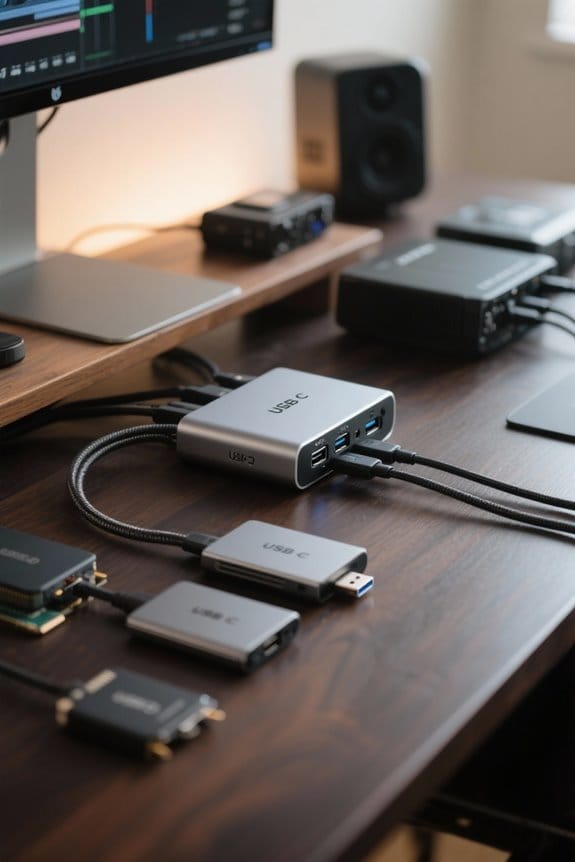
Capacity stands as an essential factor in managing high-resolution video projects, as effective storage solutions must accommodate significant file sizes. For projects utilizing 4K footage, external hard drives with at least 1TB to 2TB of storage are advisable to handle large files efficiently. A single 4K video clip can range from 375MB to 1.5GB per minute, emphasizing the need for ample space during extended projects. Multi-camera setups can further increase storage requirements, often necessitating drives of 2TB or greater. For those tackling 8K video or extensive multi-cam editing, selecting SSDs with higher capacities, such as 4TB or more, guarantees adequate space for raw, proxy, and finalized files, ultimately enhancing workflow performance. The SanDisk Extreme Portable SSDs deliver exceptional read speeds up to 1050MB/s, making them ideal for demanding video editing tasks that require quick access to large files.
Importance of File Management Systems
An organized file management system greatly enhances the workflow efficiency of video editors, particularly when dealing with large video projects that demand precision and speed. Implementing a clear structure, categorizing files by project, media type, and version, considerably reduces time spent searching for assets. Regularly archiving and offloading completed projects to external drives allows for manageable active storage, thereby preventing performance bottlenecks during editing tasks. Coupled with automated backup solutions like Time Machine, editors can safeguard against data loss while keeping their files well-organized and current. Additionally, consistently clearing render files and maintaining 10-20% free space on drives is essential to ensuring peak performance, which ultimately enhances the speed and reliability of the video editing process. Modern 100W power delivery capabilities in USB-C hubs enable video editors to maintain consistent power while transferring large media files between devices.
Reliability and Endurance of SSDs
The reliability and endurance of SSDs, particularly in the context of video editing workflows, are paramount for maintaining consistent performance under heavy usage conditions. SSDs feature a typical TBW (Terabytes Written) rating that signifies their capability to manage demanding workloads without significant performance degradation over time. With the use of NAND flash technology, SSDs provide superior reliability compared to traditional HDDs since they contain no moving parts, minimizing the risk of mechanical failure during editing or transport. Many models incorporate wear leveling and error correction technologies, enhancing data integrity and extending drive lifespan, which is essential for extensive video projects. Portable SSDs, such as the Samsung T7 and Sandisk Extreme, are built for high endurance, suitable for on-location editing workflows. The UnionSine USB C SSD demonstrates exceptional durability with read speeds up to 450MB/s, making it ideal for professional video editing applications.
Enhancing Your Workflow With USB-C
USB-C connections dramatically enhance video editing workflows, providing significant advantages over previous USB standards. With data transfer rates reaching up to 10 Gbps using USB-C 3.1 portable SSDs, such as the Samsung T7, video editors can effortlessly handle high-resolution 4K files. This efficiency helps reduce lag, streamlining the editing process. Additionally, the Thunderbolt 3 interface, utilizing the same USB-C connector, boosts performance further, offering speeds up to 40 Gbps, crucial for demanding tasks like multi-cam editing and rendering. To maximize these benefits, ensuring all devices within the workflow support USB-C and Thunderbolt standards is essential. Such compatibility not only enhances transfer speeds but also optimizes overall productivity when managing extensive media projects. For optimal workspace efficiency, triple display support is available through various USB-C docking stations, allowing video editors to simultaneously view timelines, preview windows, and asset libraries.
Real-World Examples of USB-C in Action
High-performance video editing has been transformed by practical applications of USB-C technology across various setups. For instance, the Samsung X5 Portable SSD boasts USB-C 3.1 connectivity, achieving impressive read speeds of up to 2800 MB/s, enhancing 4K video editing workflows appreciably. Many contemporary laptops exclusively feature USB-C ports, necessitating that video editors adapt to this interface for best performance with modern external storage devices. Additionally, USB-C allows for daisy-chaining multiple peripheral devices, like SSDs with Thunderbolt and card readers, using a single cable, streamlining workspace organization. When combined with Thunderbolt 3, USB-C offers a remarkable bandwidth of up to 40 Gbps, proving invaluable for tasks that demand rapid data handling and efficient multi-cam editing capabilities. For seamless network connectivity during collaborative editing sessions, professionals can utilize 2.5 Gbps adapters that support ultra-high-definition streaming and fast file transfers between workstations.
Comparing USB-C and Traditional USB Connections
As the digital landscape continues to evolve, comparing USB-C connections with traditional USB connections reveals significant advancements in performance and usability. USB-C supports data transfer speeds up to 40 Gbps with Thunderbolt 3, far exceeding USB 3.0’s maximum of 5 Gbps; this capability is vital for high-resolution video editing. Additionally, many USB-C drives are compatible with various protocols like USB 3.1 and 3.2, enhancing versatility across devices. The reversible design of USB-C facilitates quick connections, eliminating the common frustration of incorrect cable orientation found with USB-A. Improved power delivery allows for faster charging and device operation during data transfers. As USB-C becomes the standard, editors must adapt to maintain compatibility with emerging technologies. Utilizing 7-in-1 multiport adapters can expand connectivity options while maintaining high-speed data transfer rates of up to 5Gbps for seamless video editing workflows.
Managing Project Files on USB-C SSDs
Effectively managing project files on USB-C SSDs can greatly enhance the efficiency of video editing workflows, particularly when working with large files typical of 4K and 8K projects. To meet storage needs, video editors should consider SSDs with at least 1TB of capacity for 4K editing, while larger 2TB drives facilitate handling extensive multi-cam projects. Structuring folders clearly—separating media, exports, and backups—streamlines access to critical files during edits. The rapid read/write speeds of up to 2800 MB/s, as seen in drives like the Samsung X5, improve both playback and rendering. Regular monitoring of SSD health, combined with maintaining at least 10-20% free space, guarantees ideal performance throughout intensive editing tasks.
Optimizing Performance With USB-C Technology
The integration of USB-C technology into video editing workflows substantially enhances performance, particularly when dealing with high-resolution content such as 4K and 8K footage. USB 3.1 and Thunderbolt 3 standards enable transfer speeds up to 2800 MB/s, greatly benefiting users with devices like the Samsung X5 Portable SSD. This rapid data transfer guarantees smooth playback and expedites the exporting of large media files. Additionally, the versatility of USB-C fosters compatibility with various devices, such as portable SSDs and RAID arrays, enhancing workflow efficiency. Employing USB-C SSDs as scratch disks considerably reduces load times while improving responsiveness during editing sessions. In environments with multiple editors, USB-C simplifies data sharing, facilitating collaboration and ultimately streamlining video editing processes.
Future Trends in USB-C for Video Editing
Emerging trends in USB-C technology foreshadow a significant leap in the capabilities of video editing workflows. With data transfer rates nearing 40 Gbps via Thunderbolt 4, video editors can expect faster file transfers essential for high-resolution materials. The growing prevalence of USB-C across various devices, including laptops and cameras, enhances connectivity and minimizes the need for multiple adapters. Additionally, newer USB-C drives are engineered with higher TBW ratings, ensuring reliable performance during demanding edits. Future iterations of USB-C are poised to support larger data capacities and improved power delivery, facilitating more efficient multi-device setups via external enclosures. As USB-C matures into a universal standard, video editing processes will become increasingly streamlined, improving overall efficiency across platforms.
Frequently Asked Questions
Can USB-C Be Used for Video?
Yes, USB-C can be used for video, offering high video quality and cable compatibility with various devices. This versatility enhances connectivity options for both professional and personal video applications, streamlining overall workflow efficiency.
What Does a Video Editor Need to Know?
Maneuvering the labyrinth of video editing, one must grasp various video formats and editing software capabilities. Knowing how to optimize workflows can make the difference between a seamless project or a chaotic endeavor.
Should You Edit off of an External SSD?
Editing off an external SSD greatly enhances editing performance. Its faster read/write speeds compared to traditional hard drives improve access to media, making it an essential choice for video editors relying on external storage solutions.
Can I Output Video Through USB-C?
Yes, video can be output through USB-C using the appropriate USB-C adapters with compatible devices. This connection simplifies setups and supports high resolutions, making it beneficial for various multimedia applications and professional editing environments.


