


Dust and lint in USB-C ports greatly hinder charging performance by obstructing electrical connections, resulting in slower charging speeds and unstable connections. Accumulated debris can cause difficulties in cable insertion, promoting erratic charging behaviors and overheating, which risks damaging internal components. Regular cleaning with tools such as compressed air and soft brushes, alongside the use of dust plugs, can mitigate these issues. Understanding these impacts reveals the importance of maintenance, highlighting potential longevity benefits of your devices. More insights are available on effective cleaning and maintenance practices.
Key Takeaways
- Dust and lint accumulate in the USB-C port, obstructing electrical connections and impairing charging efficiency.
- Visible debris can cause slower charging speeds and necessitate frequent adjustments of the cable.
- Difficulty in inserting the charging cable indicates potential internal obstructions from dust accumulation.
- Contaminated ports can lead to erratic charging behaviors and reduced data transfer rates, impacting device functionality.
- Regular cleaning prevents overheating and extends device longevity by ensuring optimal performance of the USB-C port.
Importance of Cleaning USB-C Ports
The functionality of USB-C ports is critically dependent on their cleanliness, as dirt and debris can severely impede electrical connections. Regular cleaning of these charging ports is essential for peak performance, ensuring effective data transfer and adequate power delivery. Over time, dust and other foreign particles may accumulate within the port, resulting in slow charging or intermittent connections. To mitigate these issues, users should implement preventative measures such as using dust plugs and maintaining a clean storage environment. When cleaning, recommended methods include the use of compressed air, soft brushes, and slightly dampened cotton swabs, all while ensuring the device is powered off. Neglecting this maintenance can lead to long-term damage, necessitating costly repairs or replacements due to chronic charging failures. Modern USB 3.2 transfer speeds of up to 10Gbps can be significantly compromised when ports are contaminated with debris.
Signs of a Dirty USB-C Port
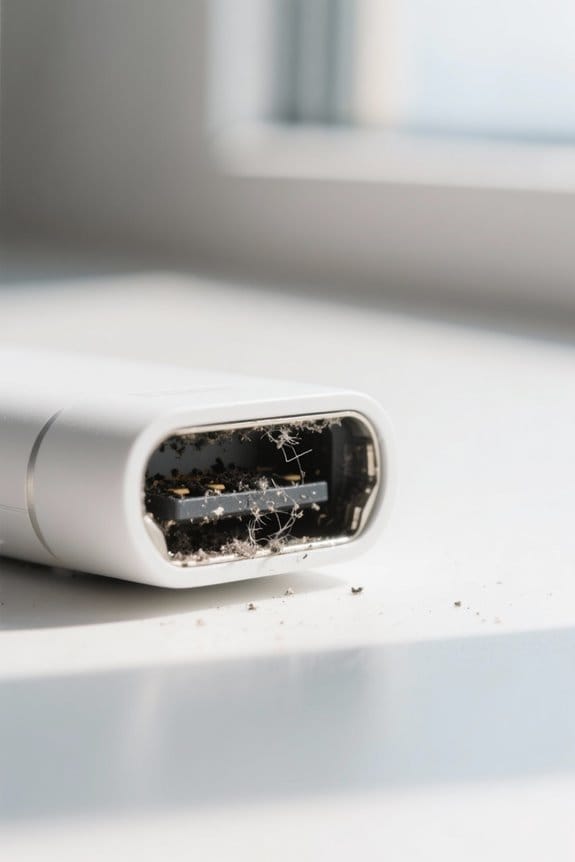
Identifying a dirty USB-C port is vital for maintaining the reliability of modern electronic devices. Common signs of dirt in the port include visible debris, dust, or lint, which can heavily impair charging performance. Users may experience slower charging speeds, necessitating frequent adjustments to the cable for a stable connection. Additionally, difficulty inserting the charging cable, along with a loose connection, often indicates that obstructive debris in the port is present. Such contaminants can even prevent devices from charging entirely or result in erratic charging behaviors. Regularly inspecting the port for signs of dirt is essential in preventing potential long-term damage, ensuring that a clean USB-C port optimizes device functionality and prolongs its operational lifespan. A clean port helps maintain PD 3.0 technology capabilities, which enables devices to reach 50% charge in just 30 minutes when using compatible chargers.
Understanding the Impact of Dust on Charging Performance
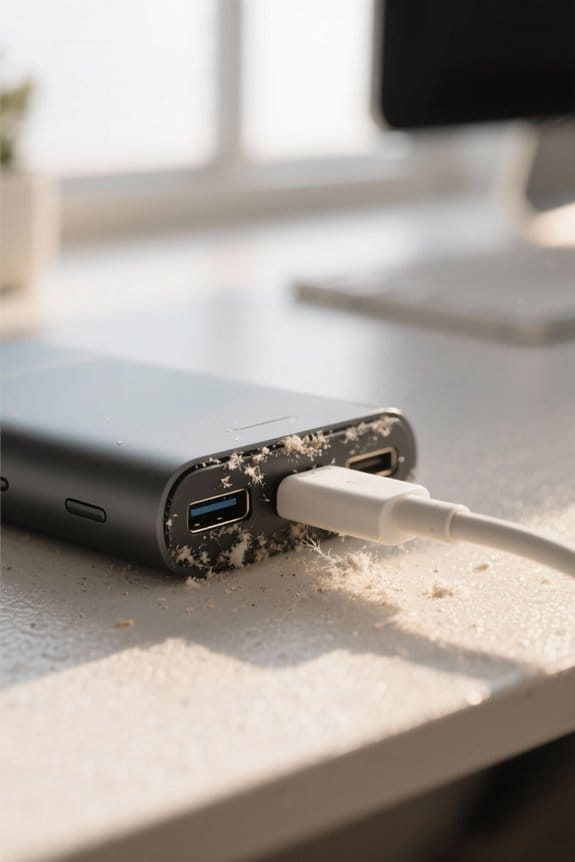
While charging devices with a USB-C port can often provide a rapid and efficient power supply, neglecting the impact of dust and lint can lead to significant performance issues. Accumulated dust and debris can interfere with the connection, resulting in reduced charging speed or even complete failure to charge. When dust obstructs the port, it may prevent the charger from making adequate contact, risking overheating of the device’s delicate internal components. Regularly cleaning the port guarantees ideal charging performance and extends the device’s lifespan, as dirt buildup can cause long-term damage. To mitigate these issues, users should consider preventative measures, such as utilizing dust plug covers, which can enhance charging efficiency by limiting the entry of dirt into the USB-C port. Modern USB 3.2 transfer speeds of up to 10Gbps can be severely compromised when ports are contaminated with dust and debris.
Tools Needed for Cleaning USB-C Ports
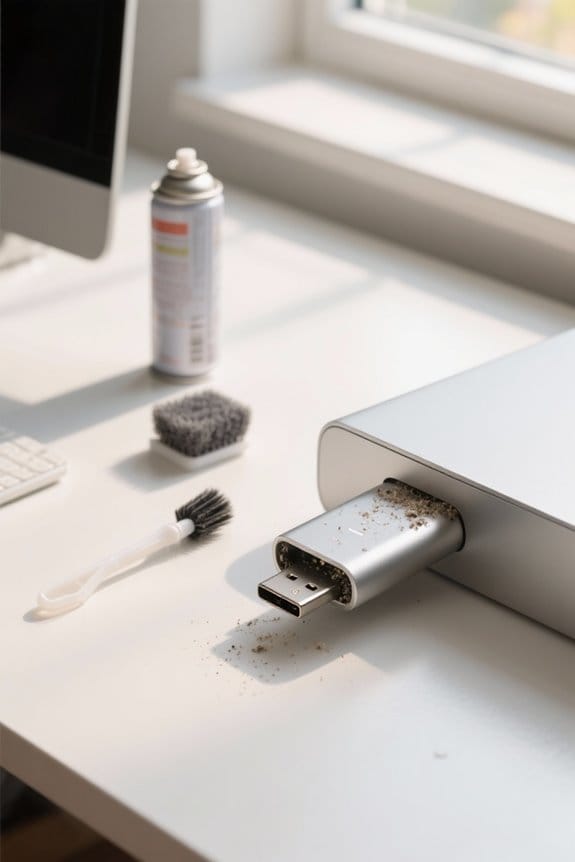
Effective maintenance of USB-C ports requires the right tools to guarantee thorough and safe cleaning. To efficiently clean your USB-C port, compressed air can be employed for blowing out loose dust and debris without risking damage to the components. A microfiber cloth is essential for cleaning the device’s exterior while preventing fibers from entering the port, ensuring a smooth charging process. For stubborn particles, a toothpick may be used cautiously, avoiding excessive force to protect the port from scratches. Additionally, using a cotton swab dipped in isopropyl alcohol (70% solution) can help with deeper cleaning around the port’s exterior, allowing users to inspect the port thoroughly and maintain peak performance in charging capabilities. Regular port maintenance becomes especially crucial for military-grade cables that are designed to withstand over 40,000 flex cycles, as debris can interfere with their superior durability and performance.
Recommended Cleaning Process for USB-C Ports
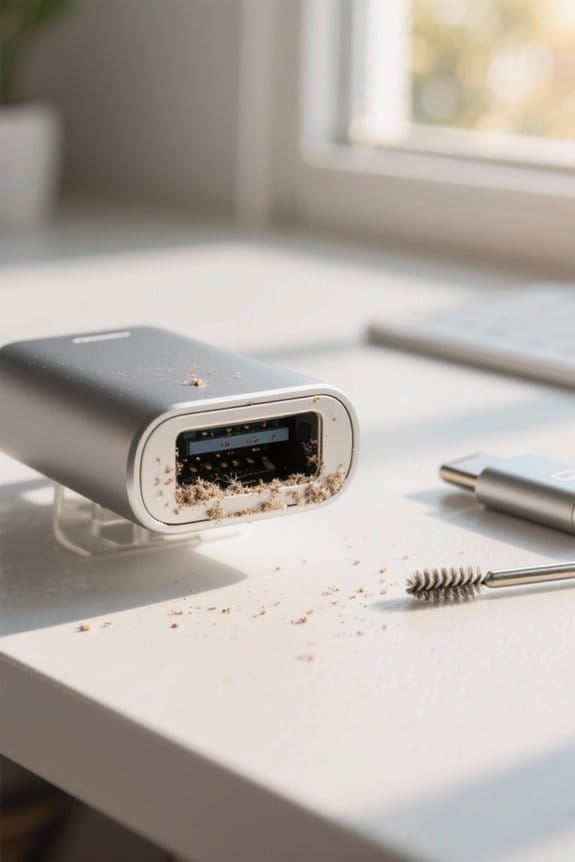
Cleaning USB-C ports effectively begins with a systematic approach that guarantees both safety and thoroughness in maintenance. Start by turning off the device and disconnecting it from any power source to avoid potential damage. Next, utilize compressed air to blow out loose dirt and debris from the port, applying short bursts to prevent moisture accumulation. Then, employ a soft-bristle brush, such as a small toothbrush, to gently scrub the inside of the port and dislodge stubborn particles. For ingrained grime, use a slightly dampened cotton swab, ensuring it is not overly wet. Finally, inspect the USB-C port with a flashlight to confirm all debris has been removed, restoring peak charging performance before reconnecting devices. Regular maintenance of USB-C ports helps maintain 0.5% accuracy in power consumption tracking when using modern electricity monitoring devices.
Preventive Measures for USB-C Port Maintenance
Regular maintenance of USB-C ports is essential to ensuring devices function at their best over time; consequently, implementing preventive measures can greatly enhance both performance and longevity. Utilizing port covers can effectively keep dust and debris out of the USB-C port, which prolongs the life and reliability of the device. Maintaining a tidy environment is equally important, as it diminishes airborne dirt that can infiltrate charging ports, leading to connectivity issues. Users should avoid eating or drinking near their devices, as food particles can contribute to lint accumulation. Conducting routine inspections for early signs of dirt is advisable because timely cleaning your USB-C port is critical for preserving charging efficiency, thereby maximizing the effectiveness of charging cables. Modern USB 3.0 transfer speeds of up to 5Gbps can be significantly compromised when ports are contaminated with dust and debris.
How to Identify When to Replace Your USB-C Port
How can one determine the appropriate time to replace a USB-C port? Signs indicating a need for replacement include consistent slow charging or intermittent connection issues, which signal possible damage. Visible physical damage, such as bent pins or cracked interiors, constitutes a clear urgency for replacement to restore devices’ performance. Additionally, if a device frequently disconnects or fails to recognize chargers despite using various cables, this can indicate port failure. Difficulty inserting the charging cable or requiring excessive force often reflects a worn USB-C port. Furthermore, frequent visits to a charging station for cleaning due to persistent dirt accumulation may suggest ineffective repairs, indicating that replacing the USB-C port might be the most effective long-term solution to guarantee reliable performance. Modern USB-C ports should achieve 10Gbps data transfer speeds, so significantly slower performance could indicate port degradation.
The Role of Phone Cases in Keeping Ports Clean
While many users may overlook the importance of maintaining clean USB-C ports, utilizing an appropriate phone case can greatly enhance device longevity and charging performance. Phone cases featuring snug fits effectively protect USB-C ports from dirt and debris, minimizing the potential for lint accumulation. Additionally, cases designed with port covers provide an extra layer of defense, further safeguarding connections from environmental contaminants. Selecting phone cases made from materials designed to resist dirt guarantees that they remain easy to clean, prolonging the cleanliness of USB-C ports. Furthermore, custom-fit cases offer extensive coverage, reducing exposure to harmful particles. Regular inspection and maintenance of phone cases also contribute considerably to their effectiveness in keeping USB-C ports clean and functional, ultimately supporting peak charging performance. Modern ActiveShield technology provides additional protection against charging-related safety issues when ports are properly maintained and debris-free.
Impact of Dust on Device Longevity
Dust accumulation poses a significant threat to device longevity, as it can lead to poor connectivity and decreased performance in USB-C ports. The presence of dust and lint obstructs efficient charging, often resulting in slower charging times and diminished charging performance. This debris can induce increased wear and tear on both the port and the charging cable, necessitating more frequent repairs or replacements. Additionally, a dirty USB-C port can compromise data transfer rates, impacting essential tasks that require stable connections. Over time, dust-related overheating during charging can further shorten battery lifespan due to thermal stress. Proactive cleaning of the USB-C port guarantees ideal functionality and enhances overall device longevity, ultimately saving users from costly replacements and downtime. Using cables with molded strain relief technology can help prevent additional wear at connection points where dust commonly accumulates.
Troubleshooting Slow Charging Issues
When users experience slow charging issues, it is essential to investigate potential causes systematically, since various factors can hinder ideal performance. Dust and lint accumulation within the USB-C port can considerably obstruct electrical connections, leading to slower charging performance and frustrating charging issues. Symptoms to observe may include delayed charging times and difficulty securing cable connections. The cleaning process should involve carefully using compressed air and a soft brush for effective debris removal, enhancing connection quality. Regular maintenance, preferably every few months, is recommended to prevent excessive dust build-up. If slow charging persists despite cleaning efforts, users should inspect the USB-C port and cables for any physical damage, as such flaws may require replacements for maximum functionality. Using a charger with advanced safety features can help prevent damage to devices while troubleshooting potential charging issues.
Best Practices for Regular USB-C Maintenance
Maintaining the USB-C port is critical for sustaining ideal charging performance and preventing long-term issues related to dust and lint accumulation. To guarantee peak functionality, users should regularly clean their USB-C port every few months, especially if frequently using the cable in dust-prone environments. Utilizing tools like compressed air and soft brushes specifically designed for electronics helps effectively dislodge debris without risking damage to delicate internal components. Additionally, employing dust plugs when the device is not in use can greatly reduce the risk of a dirty port. Conducting visual inspections to identify visible debris allows users to address any potential obstructions promptly, assuring efficient connection and prolonging device lifespan while minimizing contamination from external sources.
Exploring Alternatives for Enhanced Charging Solutions
The quest for enhanced charging solutions has prompted a growing interest in alternatives to traditional USB-C connections, as users seek methods that maximize power delivery and device longevity. Employing dust plugs or port covers can effectively maintain ideal connectivity by preventing lint accumulation within the USB-C port, thereby ensuring sustained charging efficiency. In addition, fast charging power banks designed for USB-C compatibility provide a versatile, portable charging solution to support users on the go. Wireless charging solutions, such as MagSafe or magnetic power banks, minimize wear on the USB-C port while delivering efficient power delivery. Moreover, charging stations with multiple ports and temperature management features enhance overall charging efficiency by protecting devices from overheating during high-demand usage.
Frequently Asked Questions
Can Dust in the Charging Port Cause Slow Charging?
Yes, a dirty connection from lint accumulation in the charging port can severely impact charging efficiency. Regular port maintenance and preventive measures are essential to avoid performance impact and guarantee devices charge effectively and promptly.
Does Dust Affect Charging?
Dust considerably affects charging efficiency, leading to poor performance impact and inconsistent power delivery. Regular port maintenance and USB-C cleaning are crucial, along with dust prevention measures, to guarantee device longevity and ideal charging functionality.
Can Dust Damage USB?
Dust can indeed damage USB connections, serving as an unwelcome thief of power. Employing effective dust prevention techniques and lint removal methods guarantees proper charging port cleaning, contributing considerably to overall electronic device care and longevity.
Can a Dirty USB-C Port Cause Charging Issues?
A dirty USB-C port can cause charging issues due to dust accumulation effects. Implementing USB C cleaning techniques and routine charging port maintenance are essential preventive measures to troubleshoot common charging problems and guarantee efficient device performance.


