


USB-C technology offers both charging and data transfer functionalities, requiring careful consideration of cable specifications and device compatibility. Power negotiation uses CC pins and pull-down resistors to optimize current flow, with high-wattage chargers supporting up to 100W using USB Power Delivery. However, not all devices support these standards, potentially causing issues. For data, USB 3.0 achieves speeds of 5 Gbps, while USB 3.1 Gen 2 reaches 10 Gbps. Understanding these nuances can enhance performance and prevent compatibility challenges.
Key Takeaways
- USB-C enables both charging and data transfer, but devices must support USB Power Delivery (PD) for optimal power negotiation.
- Compatibility issues can arise if devices lack necessary pull-down resistors or don’t adhere to USB-IF specifications, affecting performance.
- Choosing the right USB-C cable is essential; look for labels indicating data capabilities and ensure it meets required specifications for speed and power delivery.
- USB-C supports various data rates with USB 2.0 at 480 Mbps, USB 3.0 at 5 Gbps, and USB 3.1 Gen 2 at 10 Gbps.
- Factors like cost-cutting, inadequate testing, and consumer demand influence device design limitations, impacting USB-C functionality and charging efficiency.
Evolution of Power Flow Direction in USB Connections
As USB technology has advanced, the evolution of power flow direction in USB connections demonstrates considerable improvements in efficiency and versatility. Traditional USB A-to-B cables mandated a fixed power flow, with USB-A ports serving as suppliers. However, the introduction of USB-C brought a revolutionary change; these reversible connectors enable either device to act as a host or peripheral. Utilizing configuration channel (CC) pins, USB-C facilitates a dynamic negotiation of power flow among connected modern devices. Devices compatible with USB Power Delivery (PD) can assess and communicate their power needs in real time, enhancing device compatibility and optimizing energy use. This sophisticated approach considerably enhances data transfer capabilities while ensuring effective power identification and utilization across diverse USB-C connections. Modern Power Delivery technology in high-wattage USB-C chargers allows for optimal power adjustments up to 100W, providing enhanced charging performance while maintaining device safety.
Communication and Power Negotiation With USB-C

Communication among USB-C devices is facilitated through the configuration channel (CC) pins, which play a pivotal role in negotiating power transfer during the connection establishment process. These CC pins enable devices to communicate connection types and power needs effectively. Sink devices equipped with pull-down resistors (5.1 kΩ) signal their power requirements to the host. When both devices support USB Power Delivery (PD), a negotiation process occurs, ensuring ideal power transfer settings are established. Successful power negotiation hinges on efficient communication via the CC pins, indicating the required current and voltage. However, compatibility issues might arise if necessary resistors are missing or if non-standard implementations are utilized, potentially hindering both power transfer and data transfer capabilities across devices. Modern USB-C adapters with dual 56k resistors provide essential overcurrent protection while maintaining optimal power delivery performance.
Compatibility Considerations and Limitations in USB-C Connections
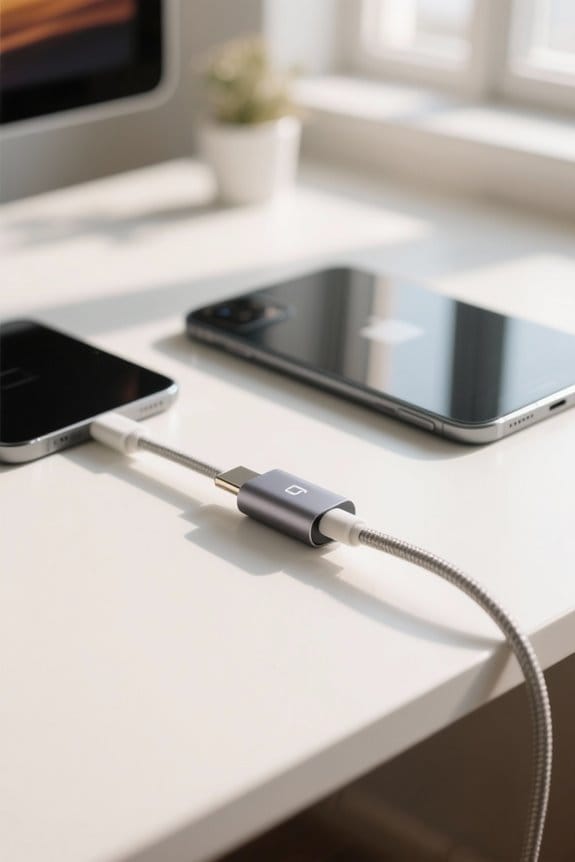
While USB-C is designed to offer a versatile and unified connection standard for charging and data transfer, significant compatibility considerations and limitations can arise due to variations in device compliance with established specifications. Not all USB-C devices support USB Power Delivery (PD), which can create power negotiation issues, particularly with devices requiring higher power levels. Additionally, some peripherals lack necessary pull-down resistors that are essential for proper power identification, leading to compatibility issues with non-compliant devices. Variability in adherence to USB-IF technical specifications among manufacturers may also hinder data transfer speeds and peak performance. Consequently, reliant upon the correct pairing of charging cables and devices, incorrect power negotiation often results in underwhelming or nonexistent connections and functionality. Modern USB-C hubs support data transfer speeds up to 40 Gb/s for optimal performance across connected devices.
A Plugable Solution to Overcome These Challenges

With numerous compatibility challenges arising from varying adherence to USB-IF specifications among manufacturers, a solution that simplifies power delivery and connectivity becomes increasingly important. Plugable’s USB-C to USB-A cables, such as the USBC-A1M and USBC-A2M, provide reliable connectivity by consistently delivering 5V power, effectively avoiding common power supply issues associated with USB-C connections. Unlike USB-C charging, which often necessitates complex negotiations for power delivery, these cables serve as a straightforward alternative, ensuring devices receive a constant power supply. The USB-C Power Meter (USBC-VAMETER3) visually illustrates differences in power flow, confirming that USB-A connections guarantee more reliable performance. As a result, adopting Plugable’s reliable products can greatly mitigate compatibility issues and enhance overall user experience. Modern GaN technology enables more efficient power delivery while maintaining compact form factors for USB-C charging solutions.
Reasons Some Devices Aren’T Designed With USB-C to USB-C Charging in Mind

A significant number of devices are not designed for USB-C to USB-C charging due to a combination of cost-cutting measures and misconceptions about the standard’s requirements. Manufacturers often underestimate the minimal modifications required, such as adding pull-down resistors for USB-C compatibility, leading to insufficient power transmission capabilities. Cost considerations can also result in inadequate testing of USB-C features, meaning that many devices lack essential characteristics for effective charging. Additionally, limited included cables or adapters further reduce usability, failing to acknowledge the extensive adoption of USB technology. Consequently, charging issues arise, as manufacturers overlook the growing consumer demand for devices that are fully compatible with USB-C standards, hindering ideal power transmission and charging efficiency. Modern fast charging rates can achieve nearly 50% battery capacity in just 30 minutes when using compatible devices and proper USB-C configurations.
Understanding USB-C Cable Capabilities
Understanding the capabilities of USB-C cables is essential for ensuring peak performance in charging and data transfer applications. Not all USB-C cables are created equal; some are specifically designed as charging cables, incorporating only two wires for power and ground. Conversely, data cables feature additional wiring, which facilitates higher data transfer rates. For instance, USB 2.0 Type-C cables support speeds up to 480 Mbps, while USB 3.1 Gen 2 cables can achieve up to 10 Gbps and provide power delivery of 100 watts. Devices need to be compatible with these specifications. To verify a cable’s data transfer capability, look for labels like “Data Cable” or “USB 3.x.” Particularly, an E-mark chip enhances power management and safety by preventing overcurrent. Premium cables featuring nylon-braided construction can withstand over 40,000 bends while maintaining consistent performance throughout their extended lifespan.
Differences Between USB-C Charging Cables and Data Cables
The distinction between USB-C charging cables and data cables is essential for maximizing device performance, as each type serves a specific purpose in a technology ecosystem. USB-C charging cables primarily facilitate power transmission, containing only two wires for power and ground, while data cables incorporate additional wiring that enables data transfer. Data cables, especially those compliant with standards like USB 3.1, support high-speed data transfer rates, achieving up to 40 Gbps, compared to the 480 Mbps limitations of many charging cables. Importantly, not all USB-C cables serve dual functions; charge-only cables lack the necessary wiring for data. The presence of E-marker chips in higher-quality data cables enhances power delivery capabilities, ensuring peak performance for connected devices. Modern retractable USB-C cables with 100W fast charging capabilities offer both efficient power delivery and data transfer speeds up to 480Mbps for most devices.
Types of USB-C Cables for Data Transfer
Numerous types of USB-C cables exist, each tailored for specific data transfer needs and performance characteristics. USB 2.0 cables support data transmission speeds up to 480 Mbps, suitable for basic tasks but inadequate for heavy data use. In contrast, USB 3.0 cables boost these speeds to 5 Gbps, ideal for file transfers and media syncing while still supporting power delivery. For higher performance, USB 3.1 Gen 2 cables deliver data transfer rates of up to 10 Gbps and can handle up to 100 watts of power delivery. Thunderbolt 3 USB-C cables provide remarkable performance with data transfer speeds reaching 40 Gbps, making them perfect for demanding applications, such as connecting external SSDs and performing video editing tasks. Modern cables like the LISEN feature E-Marker 3.0 chips that monitor voltage and current in real-time while maintaining consistent data transfer speeds up to 480Mbps.
Identifying USB-C Cables for Data Transfer and Recommendations
Selecting the right USB-C cable for data transfer involves understanding specific labels and specifications that differentiate them from basic charging cables. Users should look for USB-C data cables explicitly labeled accordingly, or those indicating compatibility with USB 3.x standards, which support faster data transfer rates. For instance, USB 2.0 Type-C cables facilitate speeds up to 480 Mbps, while USB 3.1 Gen 2 cables can achieve up to 10 Gbps, ideal for transferring files efficiently. Typically, shorter USB-C cables, about three feet or less, are optimized for fast data transfer functions, whereas longer cables may focus on charging. The Anker 765 USB-C to USB-C Cable is highly recommended, offering 480 Mbps data speed alongside 140W charging capabilities, thereby ensuring versatility. Quality cables featuring military-grade nylon construction can withstand over 40,000 flex cycles while maintaining reliable data transfer performance.
Selecting the Right USB-C Cable
Choosing an appropriate USB-C cable requires careful consideration of various specifications and performance metrics to ascertain compatibility with intended devices and applications. For peak data transfer, it is vital to select a cable labeled as a “Data Cable” or “USB 3.x,” since these cables facilitate fast data transfer. Additionally, cables equipped with an E-marker chip effectively manage power delivery and protect devices against overcurrent or overvoltage, important for high-powered usages. Users should verify each cable’s power rating and supported data transfer speeds; for example, USB 3.1 Gen 2 cables can reach up to 10 Gbps. Moreover, certified USB-IF or MFi cables guarantee reliable data and power transmission, while shorter cables typically favor data transfer over charging capabilities. When selecting cables for multi-display setups, ensure they support DisplayPort Alt Mode to enable dual 4K@60Hz monitor outputs.
Frequently Asked Questions
Is There a Difference Between USB-C Charging and Data Cables?
Yes, USB-C cables differ; charging cables focus on power delivery with limited bandwidth, while data cables support higher data bandwidth and diverse usage scenarios. Proper cable construction and branding are essential for ensuring device compatibility and ideal charging speed.
How to Tell if a Cable Is for Charging or Data Transfer?
To determine a cable’s purpose, examine cable specifications for connector types, check cable thickness, and test for charging capacity and data transfer speeds, addressing potential compatibility issues in various usage scenarios to guarantee functionality.
Can a USB-C Charging Cable Be Used for Data Transfer?
A USB-C charging cable can sometimes be used for data transfer, but often suffers from reduced data speeds. Cable quality, connector design, and device compatibility dictate performance, while charging efficiency depends on length and usage scenarios.
What Are the Disadvantages of USB-C?
USB-C’s disadvantages include durability concerns, compatibility issues, potential data transfer speed limitations, and charging power constraints. Design flaws, adapter challenges, and heat generation risks may further impact cable lifespan and device reliability.


